A productive home office doesn’t need to look like a professionally designed workspace. It needs to make working easier.
If you’re constantly moving papers to find your keyboard, searching for chargers, checking your phone, or getting distracted by everything around your desk, the problem may not be motivation alone. Your workspace could be creating unnecessary friction.
The most useful approach to organizing a home office for maximum focus is to give everything a purpose and a predictable place. Keep the things you use every day close to you, move occasional items elsewhere, control visible clutter, and create a simple system that is easy to maintain.
You don’t necessarily need a bigger desk, expensive organizers, or an entirely separate room. Start by improving the space you already have.
Start With What Actually Distracts You
Before buying organizers or rearranging furniture, spend a normal work session noticing what gets in your way.
Ask yourself:
- What objects constantly accumulate on my desk?
- What do I regularly waste time looking for?
- Which items do I move out of the way every day?
- Are personal items mixing with work documents?
- Do cables interfere with the usable desk area?
- Is my phone constantly within sight?
- Are important supplies stored too far away?
- Do I have paperwork that doesn’t have a permanent home?
This gives you a better starting point than trying to copy a perfectly styled office you saw online.
Your goal isn’t to make the room look empty. It’s to make the workspace support the work you actually do.
Clear Your Desk Before Organizing It
Trying to organize a cluttered desk one object at a time often leads to moving clutter rather than solving it.
Instead, remove nonessential items from the main work surface. Then decide what deserves to return.
Keep Only Daily Essentials Within Reach
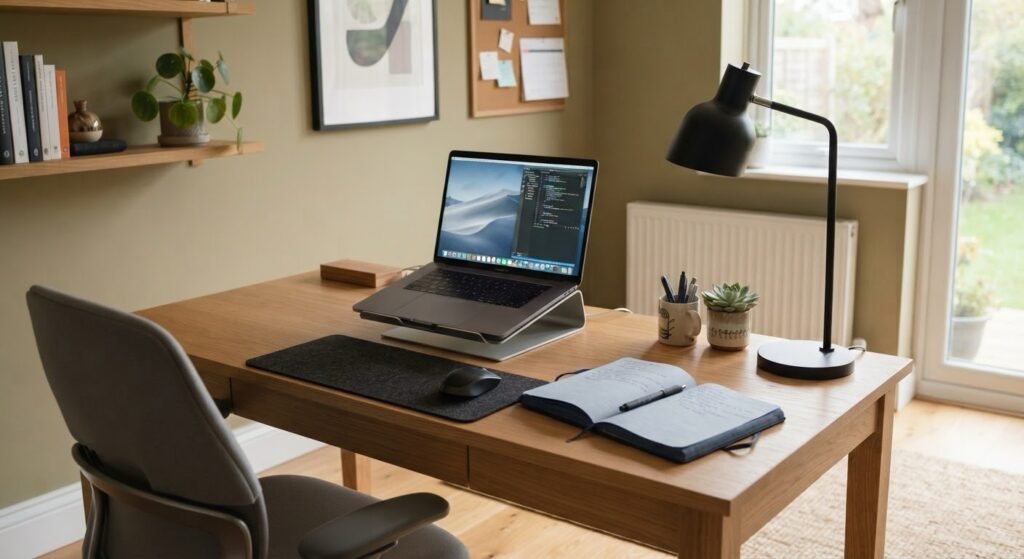
The items on your desk should generally be things you use frequently.
Depending on your work, that might include:
- Computer or laptop
- Monitor
- Keyboard and mouse
- Notebook or planner
- A few pens
- Headphones
- Desk lamp
- Water bottle
- Frequently used work equipment
Occasionally used items don’t need prime desk space.
A stapler you use once in a while, spare charging cables, unopened mail, extra notebooks, old documents, and backup office supplies can usually be stored somewhere else.
Create a Temporary Home for Everything Else
As you clear the desk, sort items into simple groups:
- Keep at desk
- Store nearby
- File
- Move to another room
- Recycle or discard
- Decide later
The “decide later” category is useful, but don’t allow it to become permanent storage. Use a small container rather than creating another large pile.
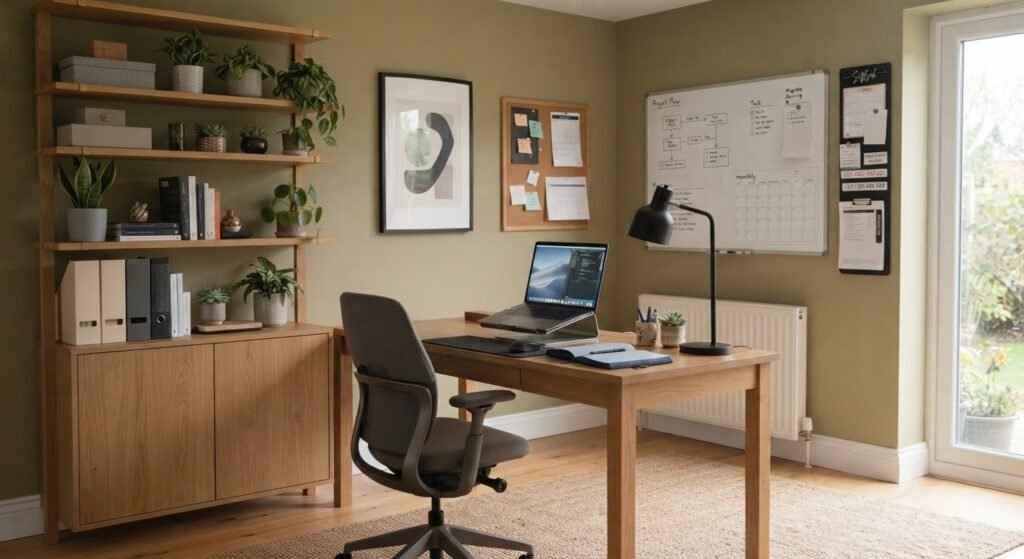
Divide Your Home Office Into Simple Zones
One of the easiest ways to organize a home office is to stop treating the entire room as one storage area.
Instead, organize it around activities.
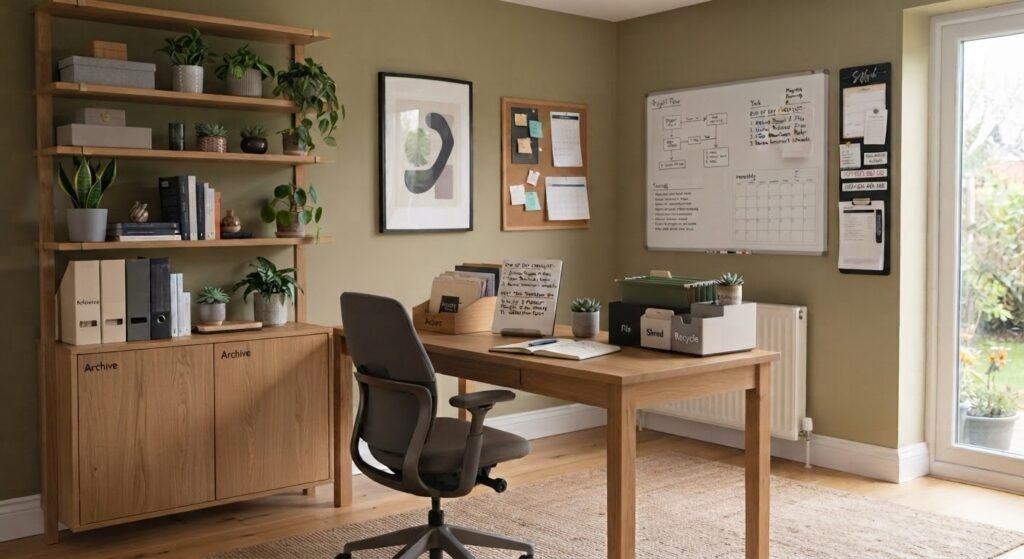
Primary Work Zone
This is your desk and immediate surroundings.
Keep only what supports your regular work here.
Your keyboard, mouse, notebook, and other frequently used tools should be easy to access without having to move unrelated objects first.
Storage Zone
Use drawers, shelves, cabinets, or containers for supplies that you need but don’t use constantly.
Examples include:
- Printer paper
- Extra notebooks
- Spare cables
- Envelopes
- Replacement supplies
- Reference materials
Group similar items together so you know where to look.
Reference and Planning Zone
If you regularly use calendars, project boards, reference documents, or planning notes, give them a defined location.
This could be a wall calendar, corkboard, whiteboard, planner, or document holder.
The important part is keeping useful reference information separate from random visual clutter.
Organize Your Desk Around Your Workflow
Your desk layout should reflect what you actually do during a normal workday.
Think about your most common sequence of tasks.
For example:
Computer → notebook → reference document → phone call → filing.
Items involved in frequent tasks should be easier to access than things you rarely use.
A simple rule is:
Frequently used items stay close. Occasionally used items stay nearby. Rarely used items stay out of the primary workspace.
This prevents your most valuable desk space from becoming storage.
It also makes organization easier to maintain because putting something away doesn’t require walking across the room or opening several containers.
Control Cables and Charging Clutter
Even a relatively clean desk can look and feel disorganized when charging cords and power cables spread across the workspace.
Start by identifying each cable.
Remove cables that no longer connect to anything you currently use. Then group the remaining cords according to where they need to go.
Depending on your setup, cable-management options may include:
- Reusable cable ties
- Cable clips
- Under-desk cable trays
- Cable sleeves
- Small labels
- A designated charging station
Avoid tightly bending, pinching, crushing, or placing excessive strain on electrical cords. Power strips and extension cords should also be used according to their manufacturer’s instructions and electrical ratings.
A particularly useful improvement is creating one charging location for devices that don’t need to remain on the main desk.
Instead of having headphones, tablets, watches, and other electronics charging in different places, keep them together when practical.
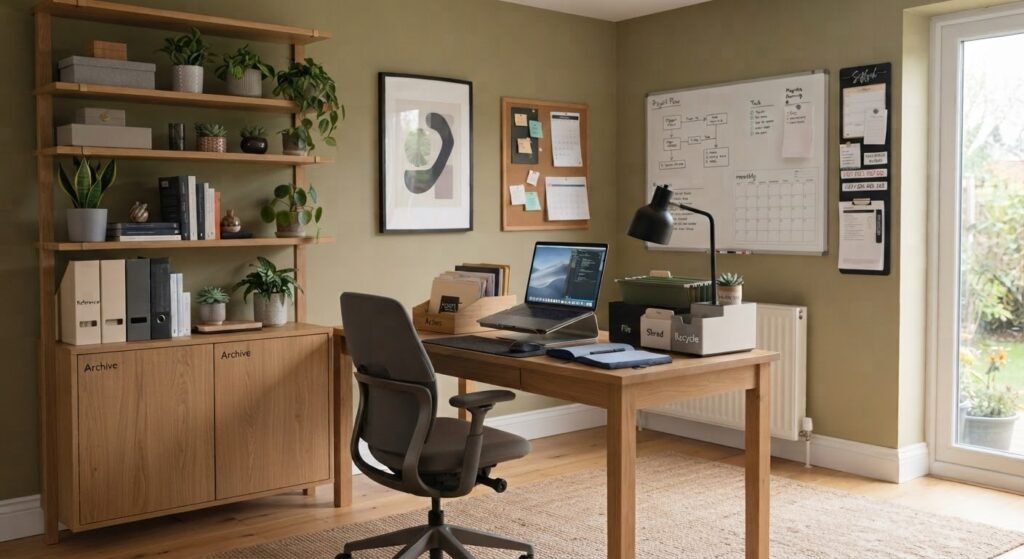
Organize Paper Before It Takes Over
Paper clutter often becomes difficult because everything ends up in one pile: bills, receipts, notes, documents that need action, and papers that should have been recycled.
Create a small number of categories that match how you actually handle documents.
For example:
Action: Documents requiring something from you.
File: Documents worth keeping.
Shred: Sensitive documents you no longer need but shouldn’t place directly into ordinary recycling or trash.
Recycle: Unneeded non-sensitive paper that your local recycling program accepts.
If you receive a document that requires action, avoid placing it in a general pile where it can disappear underneath newer papers.
A simple tray or folder labeled “Action” can make unfinished paperwork much easier to find.
Be cautious with financial, tax, legal, employment, medical, and other important records. Appropriate retention periods vary depending on the document and your circumstances, so don’t discard important records solely for the sake of decluttering.
Don’t Forget Digital Clutter
You can have a spotless desk and still work in a chaotic environment if your computer is disorganized.
Start with the places you use most frequently.
Clean Up Your Desktop
Avoid using your computer desktop as permanent storage for every downloaded file.
Create broad folders that make sense for your work, such as:
- Active Projects
- Clients
- Finance
- Reference
- Personal
- Archive
The exact categories matter less than consistency.
Use Predictable File Names
A file named finalversion2NEW.pdf becomes difficult to identify later.
A more descriptive naming system can make files easier to recognize and search.
For example:
ProjectName_DocumentType_2026-08.pdf
You don’t need to use that exact format. Choose a convention that makes sense for your work and use it consistently.
Deal With Downloads
The Downloads folder can quietly become digital junk storage.
Periodically move important files to their proper folders and delete downloads you no longer need.
Before deleting unfamiliar files, make sure they aren’t required by an application or workflow you use.
Reduce Visual and Digital Distractions
Organization isn’t only about finding things faster. It can also help separate things that require your attention from things that don’t.
Look at your desk from your normal seated position.
What can you see?
If your field of view contains stacks of unfinished paperwork, packages, household chores, personal electronics, and unrelated projects, consider moving some of them elsewhere.
You don’t need a completely bare office. A few photographs, plants, or decorative objects can make a workspace more pleasant.
The distinction is between intentional objects and accumulated clutter.
Digital distractions deserve similar attention.
During periods of focused work, you might:
- Silence unnecessary notifications.
- Close unrelated browser tabs.
- Keep social media closed.
- Put your phone somewhere less visually prominent.
- Use your device’s built-in focus or notification controls.
- Keep only the programs needed for the current task open.
The right approach depends on your job. Someone who needs to answer messages immediately will organize notifications differently from someone doing uninterrupted writing or analysis.
Make Frequently Used Items Easy to Reach
Storage isn’t automatically useful just because everything fits inside it.
If you have to dig through several boxes every time you need a pen, cable, or document, your system is creating unnecessary work.
Store items according to frequency of use.
High-frequency items: Desk or closest drawer.
Medium-frequency items: Nearby cabinet, shelf, or drawer.
Low-frequency items: Higher shelves, deeper storage, or another appropriate location.
This is particularly useful in small home offices where every surface matters.
Vertical storage can also help. Shelves, wall-mounted organizers, pegboards, and other appropriate storage solutions can move certain items away from the desk without making them difficult to access.
Make sure wall-mounted storage is installed securely and is suitable for the wall type and intended load.
Improve Comfort Without Overcomplicating the Setup
An organized office shouldn’t force you into an uncomfortable working position just to maintain a clean appearance.
Your monitor, keyboard, mouse, chair, lighting, and frequently used equipment should support comfortable working positions.
For computer work, OSHA’s workstation guidance recommends arranging components so that you can maintain neutral body positioning and avoid awkward postures. Monitor placement should also account for factors such as viewing distance, head position, and glare.
If you work from a laptop for extended periods, external peripherals or an appropriate workstation arrangement may help you avoid awkward positioning, depending on your setup.
Don’t sacrifice practical ergonomics simply to achieve a minimalist-looking desk.
Create an End-of-Day Office Reset
A home office is easier to maintain when organization is part of the workday rather than an occasional major cleaning project.
Before finishing work, perform a short reset based on what actually became messy that day.
That might include:
- Put loose papers into their correct location.
- Return pens and supplies.
- Remove cups, dishes, and trash.
- Save and close important digital work.
- Move downloaded files you need to keep.
- Put personal devices in their designated location.
- Write down the first important task for your next work session.
- Clear the primary working area.
The reset doesn’t need to make your office photograph-ready. Its purpose is to prevent today’s unfinished clutter from becoming tomorrow’s starting point.
Common Home Office Organization Mistakes
Buying Organizers Before Decluttering
Containers don’t automatically create organization.
If you buy storage before deciding what you actually need, you may simply end up storing unnecessary items more efficiently.
Declutter first. Buy storage only after you know what needs a home.
Creating Too Many Categories
An extremely detailed filing system may look impressive but become frustrating to maintain.
If every piece of paper requires a complicated decision, you’re more likely to stop filing altogether.
Start broad and create additional categories only when they become genuinely useful.
Using the Desk as Permanent Storage
Your desk is primarily a working surface.
If books, mail, supplies, packages, and documents permanently occupy most of it, you lose usable space.
Move inactive items elsewhere.
Organizing for Appearance Instead of Workflow
A beautiful workspace isn’t necessarily a functional workspace.
If you regularly use something, don’t hide it in an inconvenient location simply because it looks cleaner there.
A functional office should reduce effort during real work.
Ignoring Digital Organization
Physical clutter is visible. Digital clutter isn’t.
That makes overflowing desktops, Downloads folders, browser tabs, and poorly named files particularly easy to ignore.
Treat your digital workspace as part of your office.
Making the System Too Difficult to Maintain
The most elaborate organization system isn’t necessarily the most useful.
If returning an item to its proper location requires several steps, you’ll eventually be tempted to leave it on the desk.
Simple systems usually require less effort to maintain.
A Simple Home Office Organization Plan
If your office currently feels overwhelming, don’t try to redesign everything at once.
Work through it in this order:
- Remove obvious trash and recycling.
- Remove items that belong in other rooms.
- Clear the main desk surface.
- Separate daily-use items from occasional-use items.
- Create work, storage, and reference zones.
- Organize paperwork.
- Manage visible cables.
- Clean up your main digital workspace.
- Reduce obvious distractions.
- Establish a simple end-of-day reset.
Then use the office normally.
You’ll quickly discover whether the system works.
If something repeatedly ends up in the wrong place, don’t immediately blame yourself for being disorganized. Its designated storage location may simply be inconvenient.
Change the system until putting things away feels natural.
Frequently Asked Questions
Q. How can I organize a home office in a small space?
A. Prioritize the main work surface and use nearby vertical space carefully. Keep daily essentials at the desk, move less frequently used supplies into drawers or shelves, and avoid storing unrelated household items in your working area. Wall storage can be useful when properly installed, but a small office doesn’t need to use every available inch for storage.
Q. What should I keep on my home office desk?
A. Keep items you regularly need to perform your work. For many people, that includes a computer, keyboard and mouse, notebook, pen, lighting, and a few job-specific tools. Items used occasionally can usually be stored nearby instead of occupying the main work surface.
Q. How do I keep my home office from becoming cluttered again?
A. Give frequently used items permanent, convenient locations and regularly return them there. A simple end-of-day reset can prevent loose papers, dishes, supplies, and unrelated objects from accumulating. If the same item repeatedly ends up on your desk, consider whether its current storage location is too inconvenient.
Q. Should a home office desk be completely empty?
A. No. Minimalism and organization aren’t the same thing. A useful desk can contain the tools, equipment, and personal items that support your work. The goal is to remove unnecessary clutter rather than eliminate everything.
Q. How can I make my home office less distracting?
A. Start with the distractions you can control. Remove unrelated objects from your immediate field of view, manage paperwork, silence unnecessary notifications, close unrelated browser tabs, and consider keeping your phone away from the main work area during tasks that require concentration. Your job may require certain notifications to remain active, so adjust the system to your responsibilities.
Q. Do I need expensive office organizers to create a productive workspace?
A. Not necessarily. Existing drawers, shelves, folders, containers, and simple cable-management accessories may be enough. It’s usually more useful to decide what you need to store before purchasing additional organization products.
Conclusion
Organizing your home office for maximum focus is less about creating a picture-perfect room and more about removing unnecessary friction from your workday.
Start with the main desk surface. Keep frequently used tools close, move occasional items into nearby storage, create a simple system for paperwork, control cable clutter, and organize your digital workspace as carefully as your physical one.
Most importantly, design the office around your actual workflow rather than someone else’s idea of the perfect workspace.
Once everything has a logical and convenient place, use the office for a while and pay attention to what still creates friction. Adjust those areas and keep the system simple enough that resetting your workspace becomes an ordinary part of finishing the workday.